Not slideware. Seven reference systems.
Most firms ask you to take the engineering on trust. These are working reference systems MiniBytez designed, built and runs in house: each one opens in your browser, holds its state and can be worked through the way the real thing would be. Assess the engineering before you commission any of it. Every name and figure inside them is invented.
- reference systems
- 7
- workflows to run
- 72
- entities modelled
- 84
Internal MiniBytez work on fictional data. None of these is a client system.
Choose a system. Then open it.
Seven products, each a different kind of software with its own interface, data model and workflows. Choose one to see what is engineered inside it, then run it yourself.
Internal operations
Deck
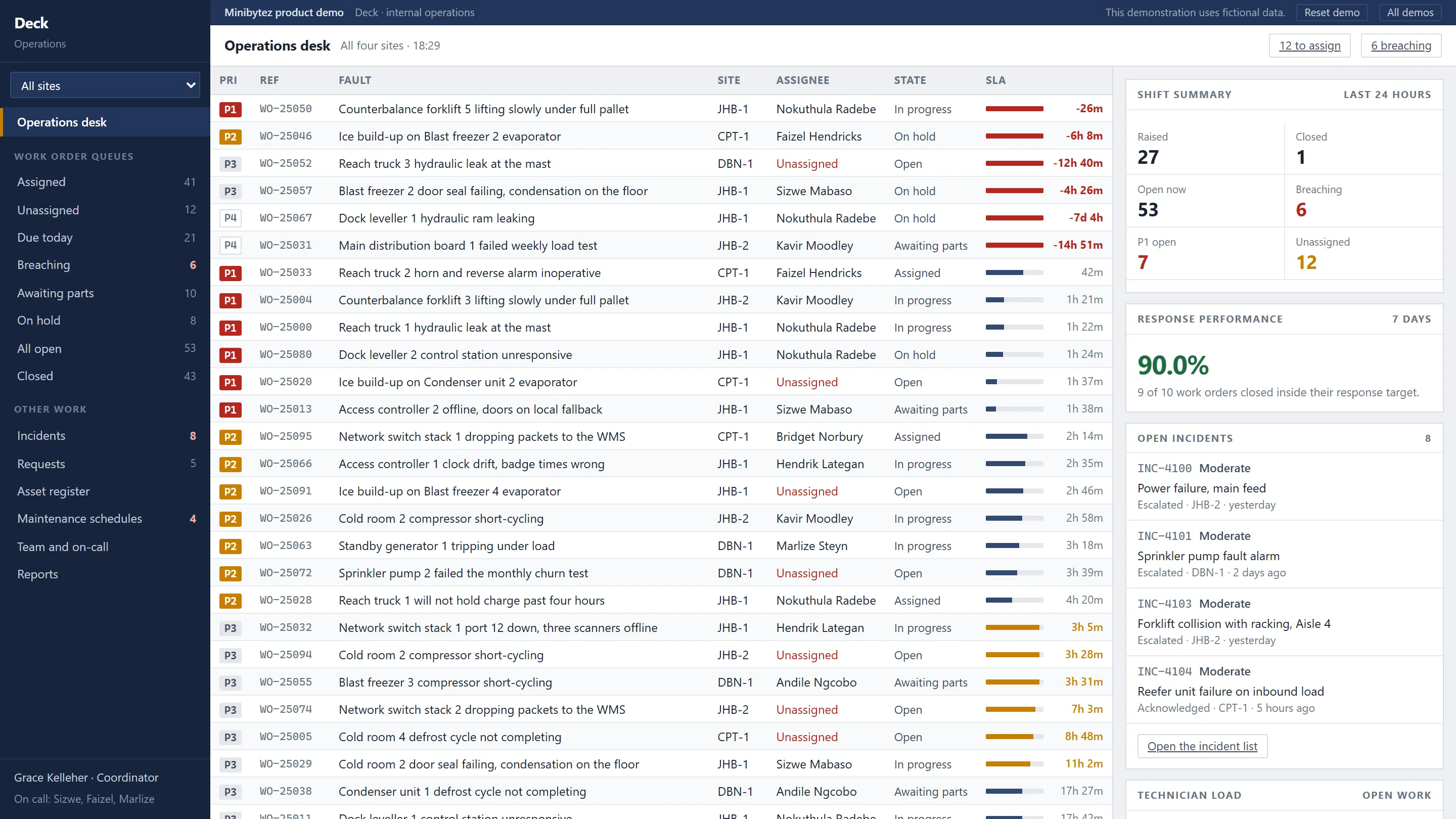
An operations desk: work order queues with live SLA countdowns, incidents, approvals, assets and keyboard-driven triage.
Engineered inside
- An SLA clock running out is the only colour on the screen
- Keyboard triage across queues, incidents, requests and assets
- Preventive schedules that generate work on their own
- Entities modelled
- 11
- Workflows to run
- 11
- Data
- Fictional
Executive reporting
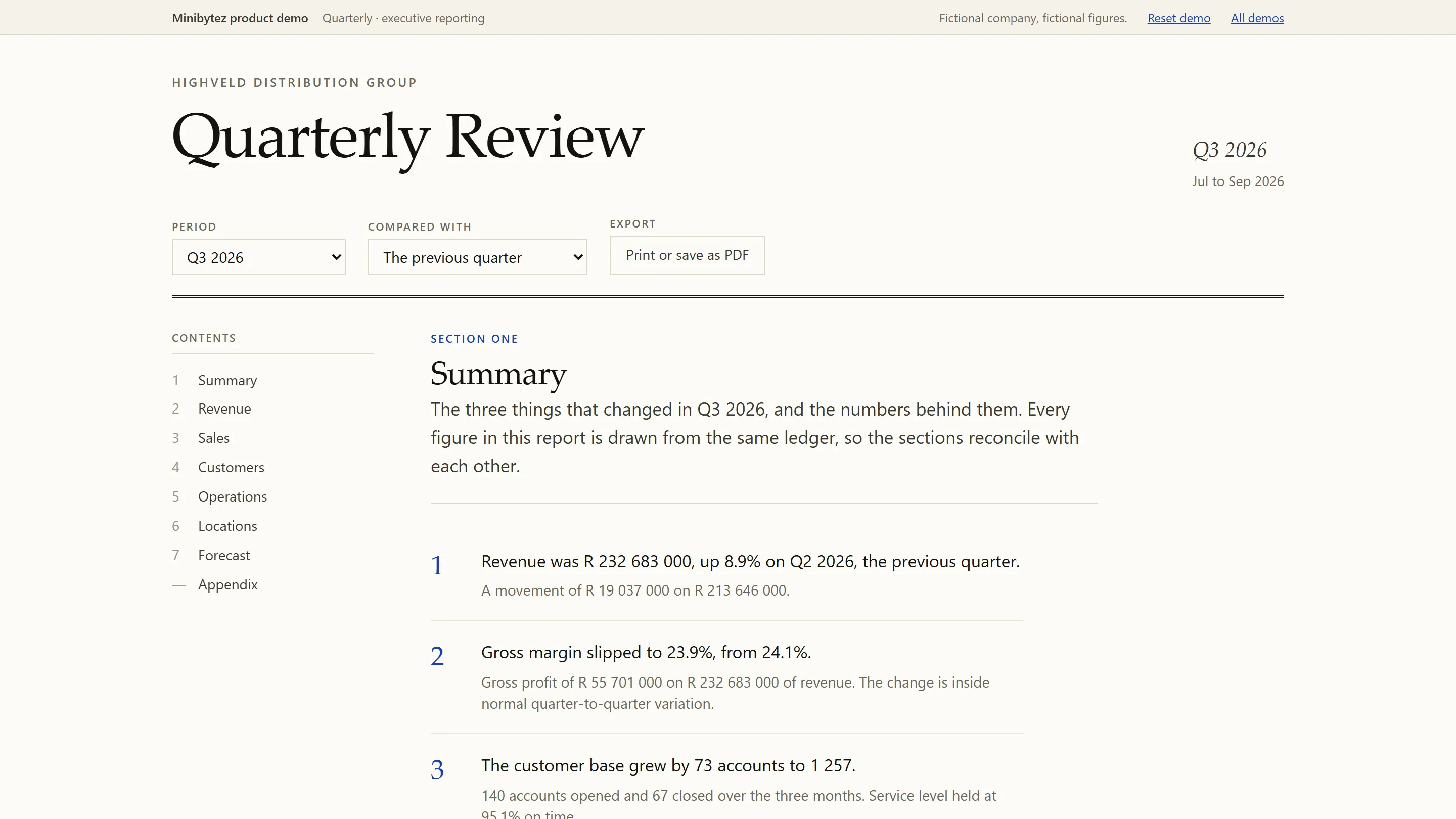
Quarterly
A period review rather than a dashboard. Every figure reconciles, every chart states its finding, and it prints properly.
Engineered inside
- Every figure derived from one monthly ledger, so the parts sum to the whole
- Charts that state their finding in the title
- Reconciliation checked by an automated test suite
- Entities modelled
- 7
- Workflows to run
- 5
- Data
- Fictional
Customer communications
Relay
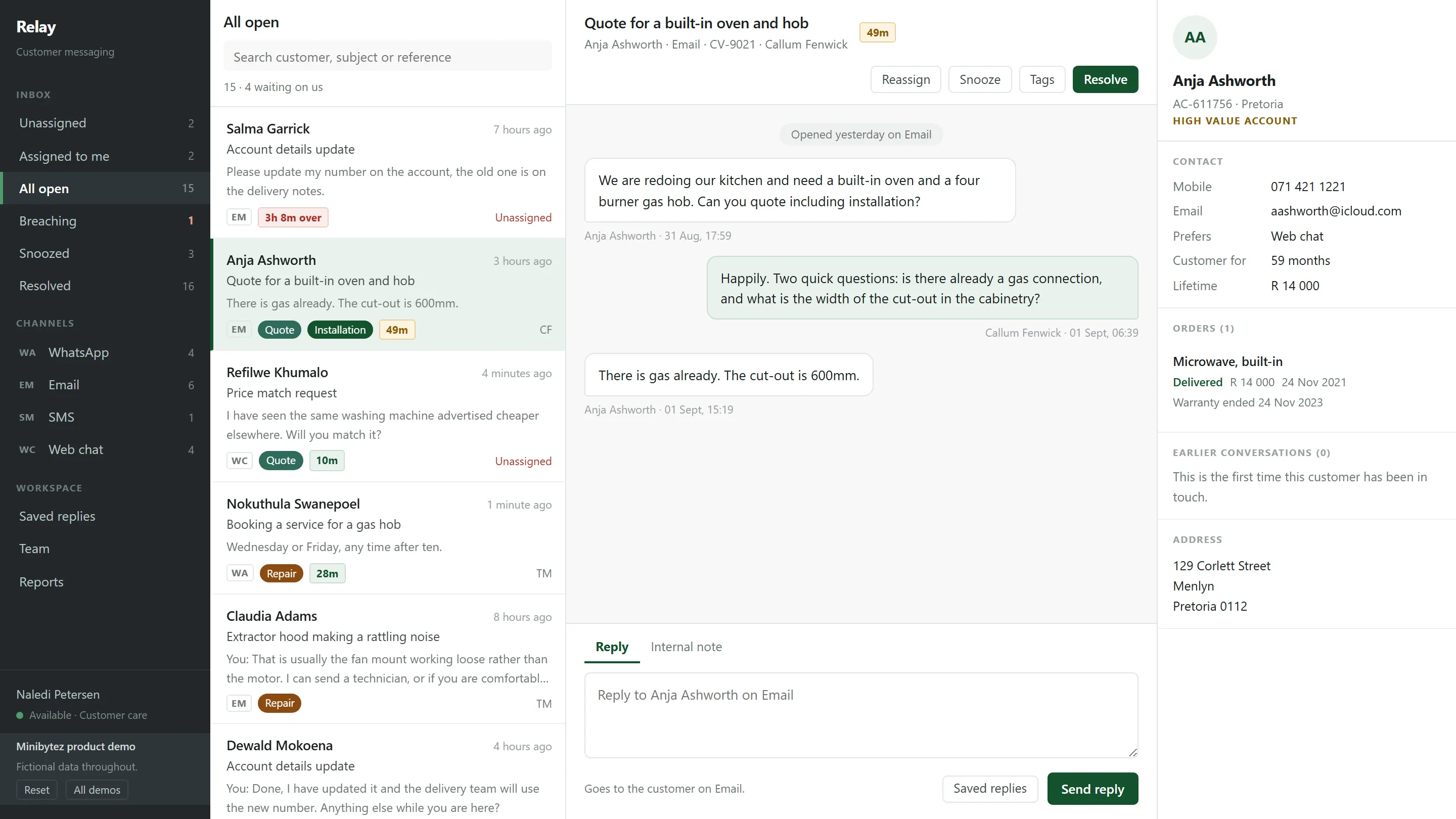
A shared team inbox across WhatsApp, email, SMS and web chat, with assignment, internal notes, saved replies and SLA.
Engineered inside
- WhatsApp, email, SMS and web chat in one queue with named owners
- A composer that changes colour and verb for an internal note
- Snooze, resolve with undo, and handover notes that stay with the thread
- Entities modelled
- 10
- Workflows to run
- 8
- Data
- Fictional
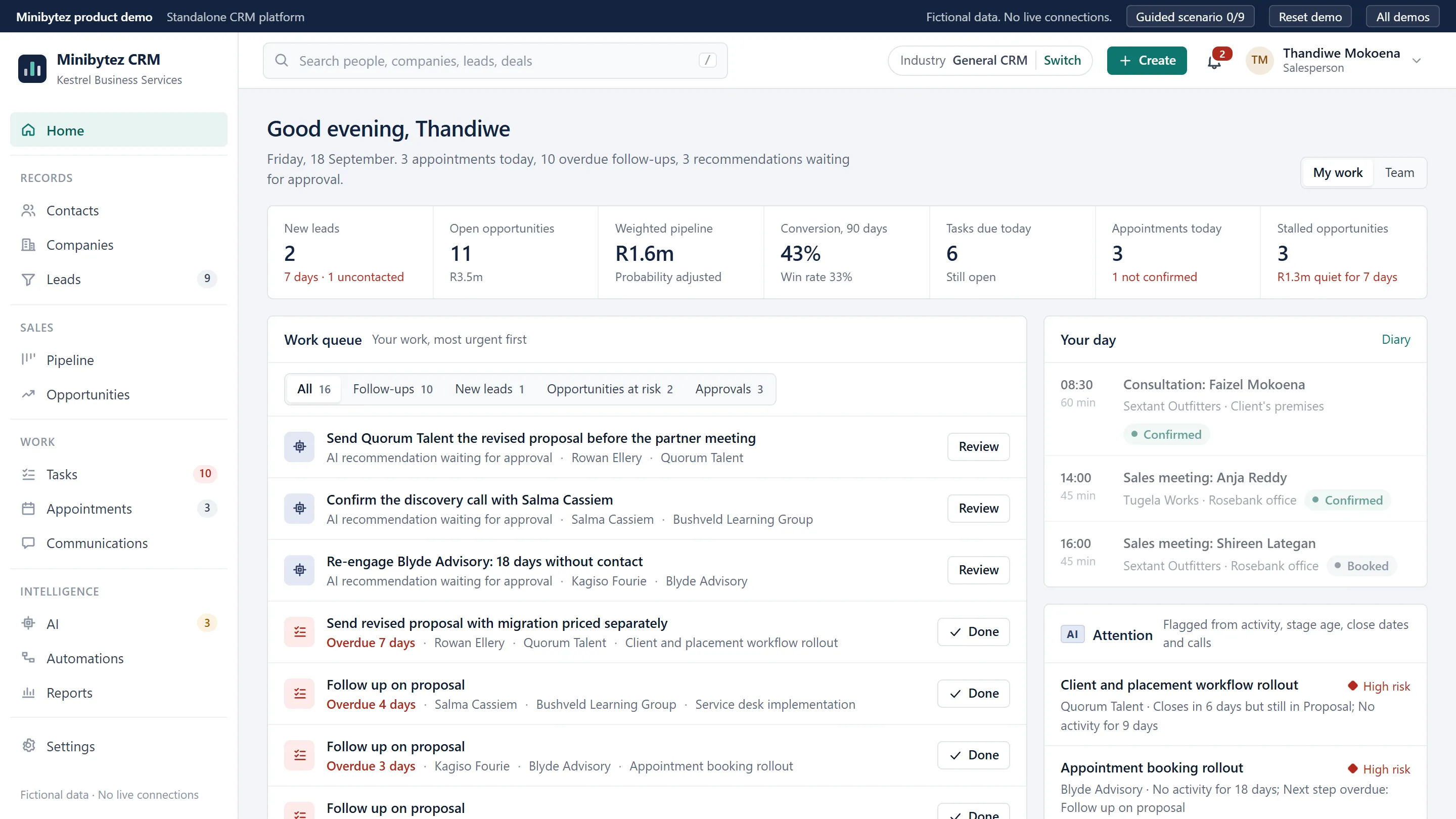
Customer relationship management
MiniBytez CRM
A configurable CRM: records, pipeline, diary, calls and automations on one core, with AI suggestions a person approves before anything is sent.
Engineered inside
- A Customer 360 joining the person, company, deals, diary, calls and messages
- AI that lists the records it read and waits for a person to approve
- Eight industry profiles reconfiguring one core: terms, pipeline, fields, reports
- Entities modelled
- 22
- Workflows to run
- 20
- Data
- Fictional
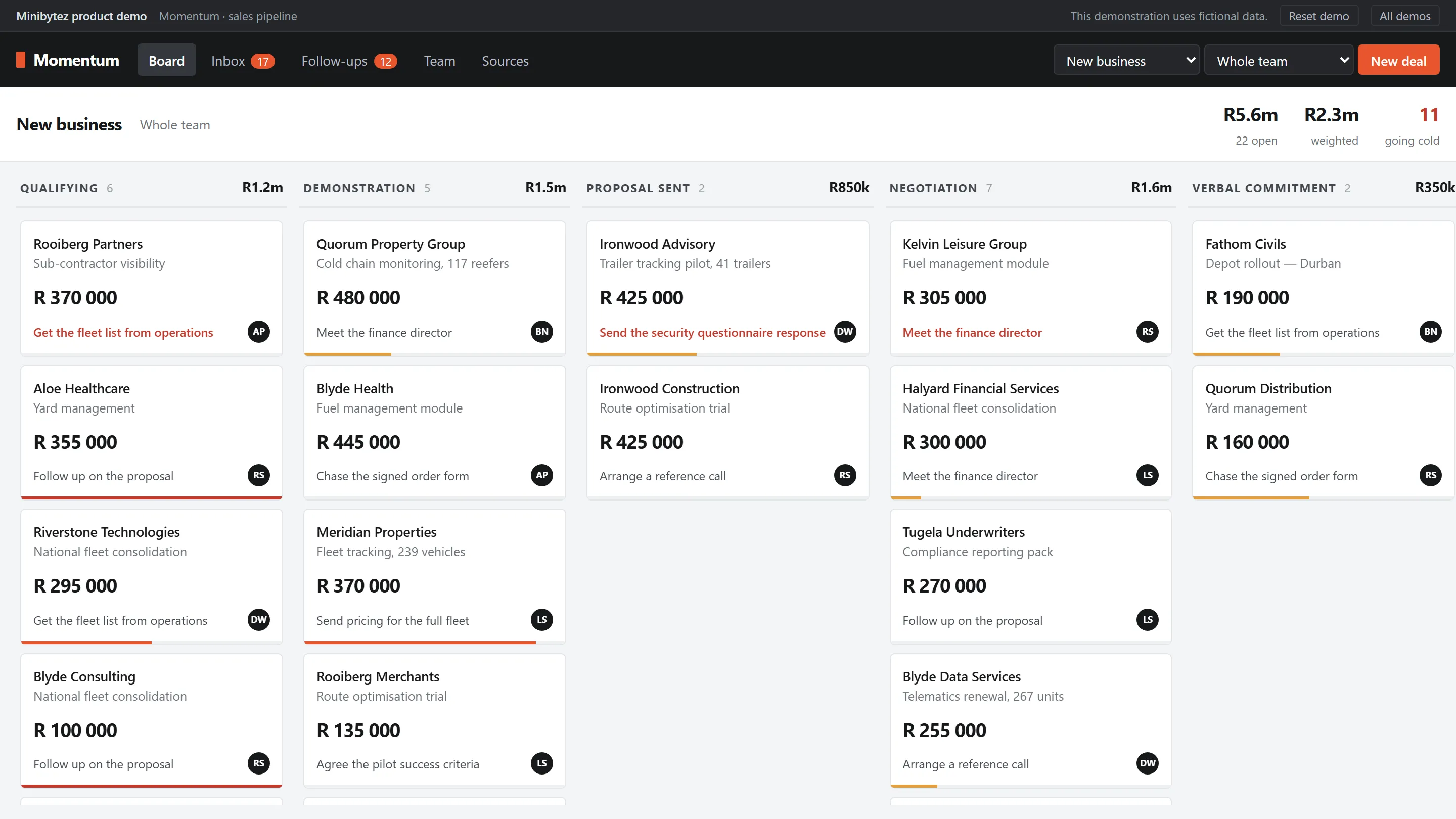
Sales pipeline and lead management
Momentum
A full-bleed pipeline board with drag and drop, an idle-decay signal on every deal, a lead inbox and rep capacity.
Engineered inside
- Deals move by drag and drop and age against their last real contact
- A lead inbox that routes every enquiry to a named owner
- Deliberately small: five destinations, a drawer instead of a page
- Entities modelled
- 9
- Workflows to run
- 8
- Data
- Fictional
Access control and connected devices
Perimeter
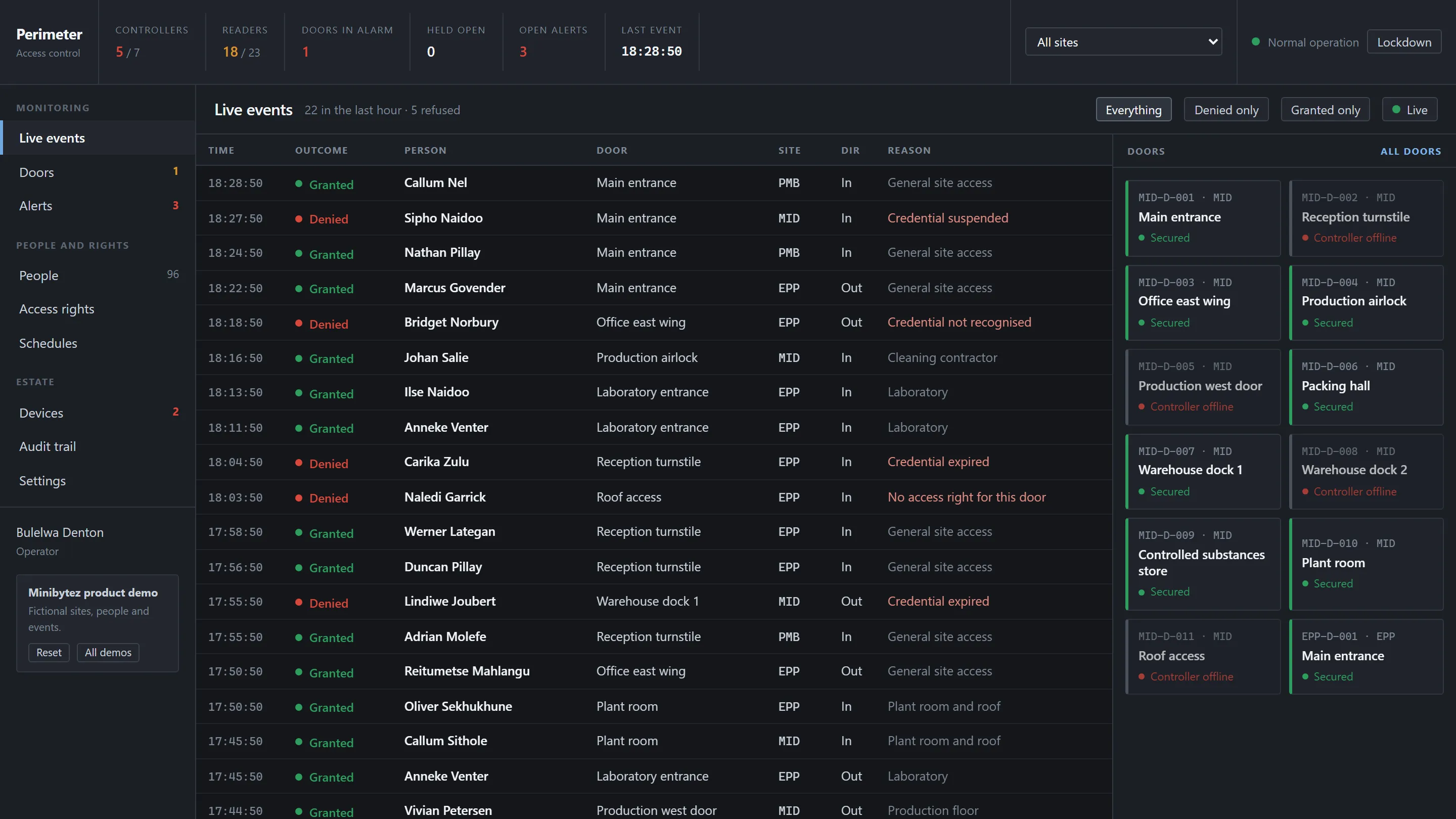
A live access event stream, door state and control, credential lifecycle, device health and a full audit trail.
Engineered inside
- Every entry checked in order: lockdown, door mode, credential, rights, schedule
- Granting or suspending a credential changes what the live stream shows
- Door state, device health and an append-only audit trail
- Entities modelled
- 13
- Workflows to run
- 10
- Data
- Fictional
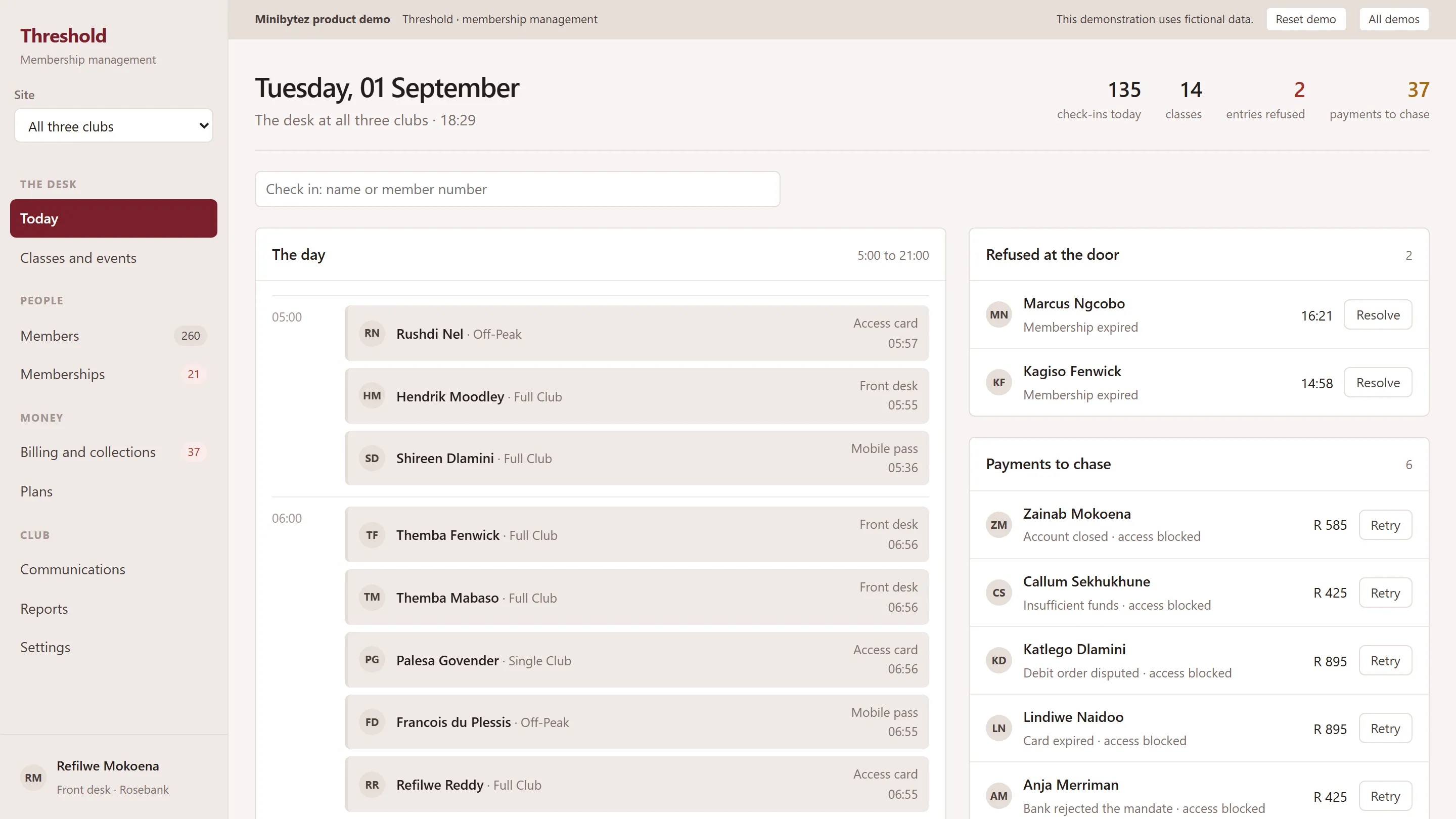
Membership and recurring billing
Threshold
A front-line day view for a subscription business: customer profiles, recurring billing, attendance, capacity, renewals and the dunning queue.
Engineered inside
- Relationship, billing and access tracked as three independent states
- A failed collection becomes work: retry, freeze or renew from the record
- A front desk and a manager reading the same day through different roles
- Entities modelled
- 12
- Workflows to run
- 10
- Data
- Fictional
The interface changes. The pattern travels.
Each product is built around one engineering pattern that recurs across organisations. The pattern is the proof; the product is one place it happens to show.
Work state and escalation
DeckOperations
What it provesOperational control: work with an owner, a state and a clock.
The pattern travels to- Facilities
- Field service
- IT service desks
- Logistics
Consistent measures
QuarterlyAnalytics
What it provesReporting that agrees with itself, because every number has one source.
The pattern travels to- Board packs
- Finance
- Multi-site groups
Multi-channel service
RelayCommunications
What it provesService handling where every conversation has an owner and nothing unchecked reaches a customer.
The pattern travels to- Customer service
- Retail
- Property management
A configurable core
MiniBytez CRMCustomer relationships
What it provesOne product reconfigured per organisation, with AI that explains itself and waits for approval.
The pattern travels to- Professional services
- Real estate
- Recruitment
- Education
Pipeline and ownership
MomentumSales
What it provesCommercial workflow where every deal has an owner, a next step and a signal when it goes quiet.
The pattern travels to- B2B sales
- Partnerships
- Admissions
Identity and decision rules
PerimeterAccess
What it provesDecisions about who may do what, evaluated from live state rather than faked.
The pattern travels to- Offices
- Campuses
- Warehouses
- Laboratories
Lifecycle and entitlement
ThresholdMembership
What it provesRecurring relationships where status, money and entitlement can each change on their own.
The pattern travels to- Subscriptions
- Associations
- Service contracts
Seven surfaces. The same foundations underneath.
Very different products rest on the same layers, and they are the layers every business system needs. A lit cell means the product is built on that layer.
| DeckOperations | QuarterlyAnalytics | RelayCommunications | MiniBytez CRMCustomer relationships | MomentumSales | PerimeterAccess | ThresholdMembership | |
|---|---|---|---|---|---|---|---|
| Records and stateOne authoritative record, with a real lifecycle | Built on this layer | Built on this layer | Built on this layer | Built on this layer | Built on this layer | Built on this layer | Built on this layer |
| WorkflowWork that moves between people and states | Built on this layer | Not central | Built on this layer | Built on this layer | Built on this layer | Built on this layer | Built on this layer |
| Identity and permissionsWho someone is, and what they may do | Not central | Not central | Not central | Built on this layer | Not central | Built on this layer | Built on this layer |
| Events and automationWork that starts itself from what happened | Built on this layer | Not central | Not central | Built on this layer | Not central | Built on this layer | Not central |
| Decision supportSignals that tell a person what needs them | Built on this layer | Built on this layer | Not central | Built on this layer | Built on this layer | Not central | Not central |
| Audit and historyA record of what was done, and by whom | Built on this layer | Not central | Not central | Built on this layer | Not central | Built on this layer | Not central |
| ReportingFigures drawn from the same records | Not central | Built on this layer | Not central | Built on this layer | Built on this layer | Built on this layer | Built on this layer |
Records and state
One authoritative record, with a real lifecycle
- Deck
- Quarterly
- Relay
- MiniBytez CRM
- Momentum
- Perimeter
- Threshold
Workflow
Work that moves between people and states
- Deck
- Relay
- MiniBytez CRM
- Momentum
- Perimeter
- Threshold
Identity and permissions
Who someone is, and what they may do
- MiniBytez CRM
- Perimeter
- Threshold
Events and automation
Work that starts itself from what happened
- Deck
- MiniBytez CRM
- Perimeter
Decision support
Signals that tell a person what needs them
- Deck
- Quarterly
- MiniBytez CRM
- Momentum
Audit and history
A record of what was done, and by whom
- Deck
- MiniBytez CRM
- Perimeter
Reporting
Figures drawn from the same records
- Quarterly
- MiniBytez CRM
- Momentum
- Perimeter
- Threshold
- lines of shared plumbingA session store with deterministic seeding, formatting, a small DOM helper and chart arithmetic.
- 785
- shared interface componentsNo layout, token, button, table or chart component crosses between products, so each one looks like itself.
- 0
- viewports in every test sweepAn automated browser sweep works through real workflows on every route.
- 4
Judge the engineering by using it.
All seven are live. Change something, follow a workflow through, then reset the system and start again.
What these are, and what they are not
They are MiniBytez product demonstrations, built in house. Every name, company, figure, message and event in them is invented. They are not client systems: none contains customer data, connects to a customer system or is in production use.
See delivered client work